Mi 10T / Mi 10T Pro Test Point is one of the most effective hardware methods used by mobile phone technicians to force the Xiaomi Mi 10T and Mi 10T Pro (Codename: Apollo) into Qualcomm Emergency Download Mode (EDL 9008).
This procedure is commonly required when the device is hard bricked, stuck on the Mi logo, bootlooping, unable to enter Fastboot Mode, or experiencing software corruption after a failed flashing process. Dengan menggunakan Mi 10T / Mi 10T Pro Test Point, teknisi dapat menghubungkan perangkat langsung ke mode Qualcomm 9008 sehingga proses flashing, unbrick, firmware restore, dan software repair dapat dilakukan dengan lebih mudah menggunakan berbagai tool profesional.
How to Enter EDL 9008 Mode
Method 1 – Using Test Point
Power off the device completely.
Open the back cover carefully.
Disconnect the battery connector.
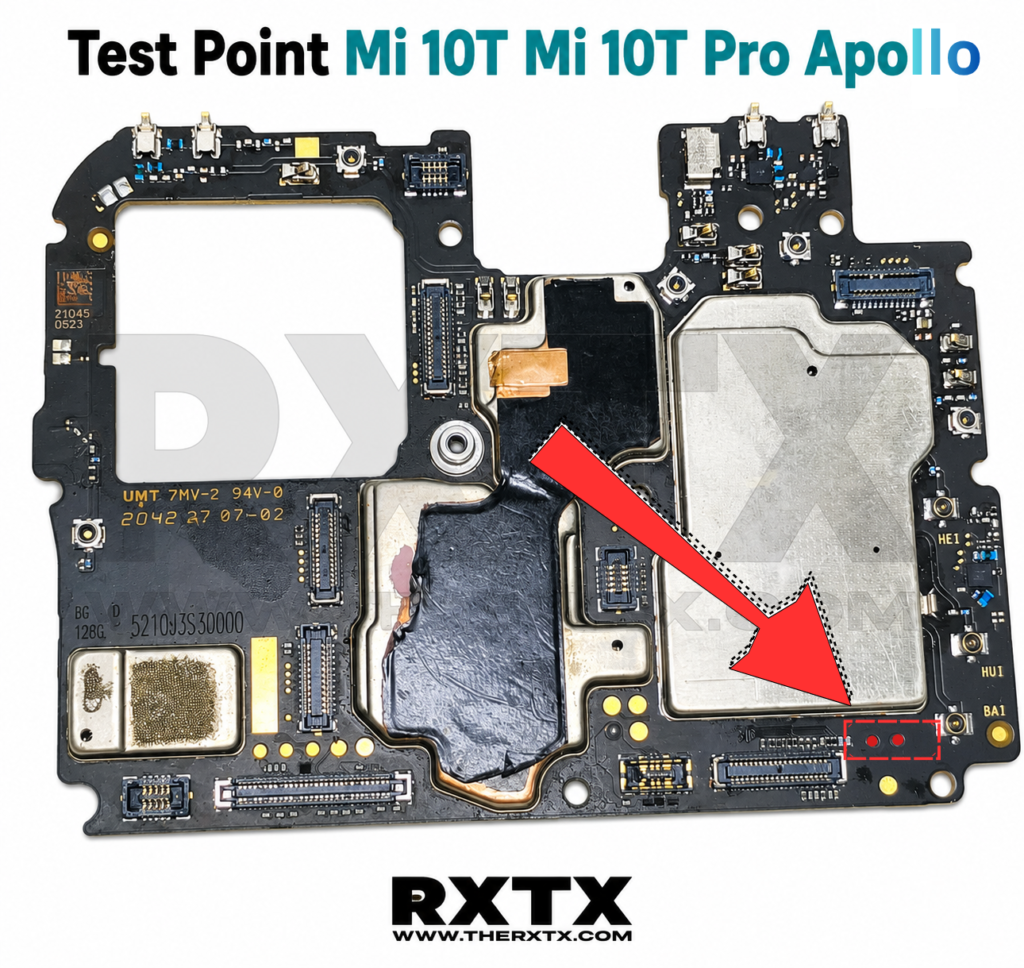
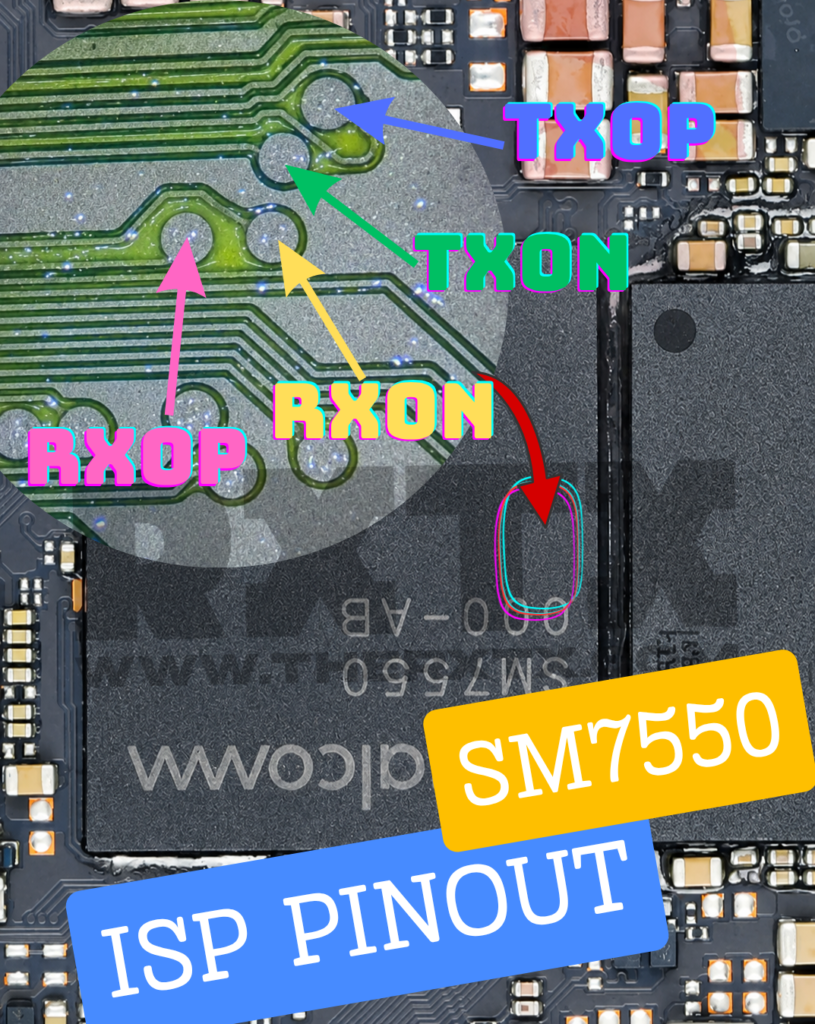
Locate the Test Point shown in the image above.
Use tweezers to short both Test Point pads.
Connect the USB cable to the PC while keeping the pads shorted.
Release the tweezers after a few seconds.
Check Device Manager.
If successful, the device will appear as:
Qualcomm HS-USB QDLoader 9008
Jika terdeteksi sebagai Qualcomm 9008, perangkat siap digunakan untuk proses flashing menggunakan tool seperti:
Mi Flash Tool
QFIL
Hydra Tool
UMT QCFire
Unlock Tool
DFT Pro
Chimera Tool
Kegunaan Test Point Mi 10T / Mi 10T Pro
✅ Memperbaiki bootloop ✅ Mengatasi hardbrick setelah gagal flash ✅ Masuk ke EDL Mode 9008 ✅ Flash firmware clean install ✅ Repair software Qualcomm ✅ Remove Mi Account (sesuai otorisasi yang berlaku) ✅ Unbrick perangkat yang tidak terdeteksi Fastboot
Mi 10T / Mi 10T Pro Apollo Test Point Location
Gambar berikut menunjukkan lokasi Test Point pada motherboard Xiaomi Mi 10T dan Mi 10T Pro Apollo.
📌 Location: Right side of the motherboard, near the display connector area.
📌 Identification: Two golden circular pads marked by the red arrow.
📌 Function: Short both points while connecting the USB cable to force the device into Qualcomm EDL 9008 Mode.
Device Specifications
Model
Xiaomi Mi 10T
Codename
Apollo
Chipset
Qualcomm Snapdragon 865
Storage
UFS 3.1
Flash Mode
Fastboot / EDL 9008
Interface
Qualcomm HS-USB QDLoader 9008
Catatan Penting
Gunakan pinset anti-statis saat melakukan short Test Point.
Pastikan baterai dilepas sebelum proses EDL.
Hindari menyentuh komponen lain di sekitar area Test Point untuk mencegah korsleting.
Gunakan firmware yang sesuai dengan varian Mi 10T atau Mi 10T Pro Apollo.
RXTX – Nothing Newbie & Expert Panduan Test Point Mi 10T dan Mi 10T Pro Apollo untuk masuk EDL Mode 9008 dengan cepat dan aman bagi teknisi pemula maupun profesional.
More Xiaomi Test Point Collections
Looking for other Xiaomi, Redmi, and POCO Test Point locations? RXTX has compiled a complete collection of tested EDL Test Point guides for various Xiaomi devices, helping technicians quickly enter Qualcomm 9008 Mode and perform unbrick, flashing, and software repair procedures.
Kami menggunakan teknologi seperti cookie untuk menyimpan dan/atau mengakses informasi perangkat Anda. Dengan menyetujui, Anda membantu kami meningkatkan pengalaman browsing dan layanan di RXTX. Penolakan atau pencabutan persetujuan dapat mempengaruhi beberapa fitur website.
Diperlukan
Always active
Diperlukan untuk memastikan layanan yang diminta pengguna dapat berjalan dengan baik, seperti mengakses fitur utama atau mengirimkan komunikasi melalui jaringan.
Preferensi
Digunakan untuk menyimpan pengaturan atau preferensi pengguna agar pengalaman penggunaan menjadi lebih nyaman dan personal.
Statistik
The technical storage or access that is used exclusively for statistical purposes.Digunakan untuk mengumpulkan data anonim guna memahami bagaimana layanan digunakan, tanpa mengidentifikasi pengguna secara langsung.
Iklan
Digunakan untuk menampilkan iklan yang relevan serta melacak aktivitas pengguna di berbagai situs untuk keperluan pemasaran.