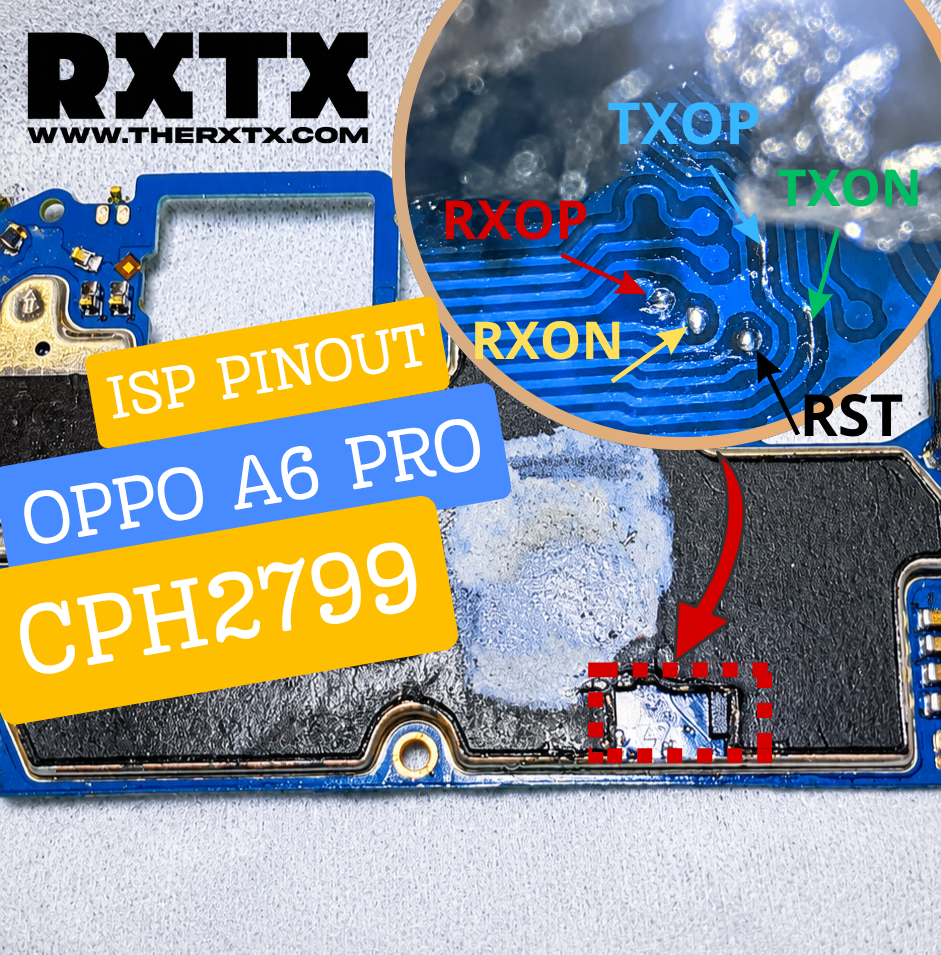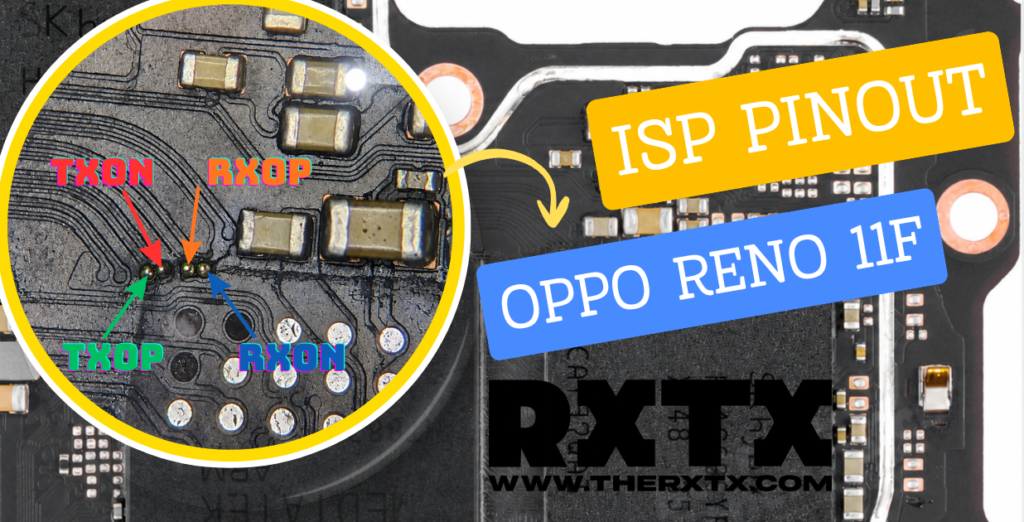
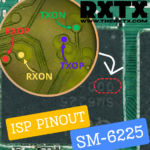

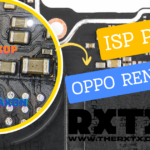
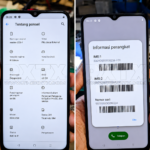
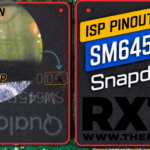
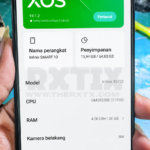
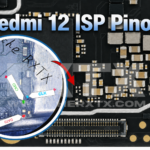
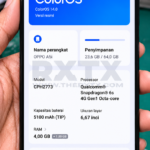
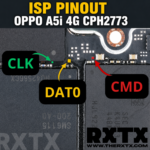

Snapdragon SM-6225 ISP Pinout is one of the most useful hardware repair references for mobile technicians, phone repair shops, and data recovery specialists. Using ISP (In-System Programming), technicians can access UFS storage directly from the motherboard without removing the memory chip.
Bagi teknisi Indonesia, metode ini sangat membantu untuk mengatasi perangkat bootloop, dead boot, stuck logo, no recovery mode, atau kerusakan firmware yang tidak bisa diperbaiki menggunakan flashing biasa.
Pada artikel ini, RXTX membagikan Qualcomm Snapdragon SM-6225 ISP Pinout (RXOP, RXON, TXOP, TXON) yang dapat digunakan sebagai referensi untuk proses backup, dump firmware, recovery data, maupun perbaikan software level hardware.
What is ISP Pinout?
ISP (In-System Programming) is a hardware-level communication method that allows direct access to UFS or eMMC storage through dedicated test points on the PCB.
ISP sering digunakan ketika:
- Device mati total (dead boot)
- Bootloop setelah update
- Gagal flashing
- UFS tidak terbaca normal
- Recovery data penting
- Backup firmware
- Repair GPT & Partition
With ISP access, technicians can communicate directly with the storage IC using professional tools such as Easy JTAG Plus, UFI Box, Medusa Pro, or other ISP programmers.
Snapdragon SM-6225 ISP Pinout
ISP Test Point Details
| Signal | Description |
|---|---|
| RXOP | UFS Receive Positive |
| RXON | UFS Receive Negative |
| TXOP | UFS Transmit Positive |
| TXON | UFS Transmit Negative |
| GND | Ground |
| VCC / VCCQ | Power Supply |
These test points provide direct communication between the UFS memory and ISP programmer.
Supported Repair Operations
Using this ISP Pinout, technicians can perform:
✅ Read UFS Information
✅ Backup Firmware
✅ Read GPT Partition
✅ Repair Dead Boot
✅ Recover User Data
✅ Extract Full Dump
✅ Clone UFS Storage
✅ Rebuild Partition Table
✅ Software Recovery
Recommended Tools
Untuk mendapatkan hasil terbaik, gunakan peralatan berikut:
- Easy JTAG Plus
- UFI Box
- Medusa Pro II
- Flash 64
- JCID UFS
- Digital Microscope
- ISP Adapter
- Solder Wire 0.01mm
Lokasi ISP Pada Motherboard
Important Notice
⚠ This ISP Pinout Requires PCB Scraping
Pada motherboard Snapdragon SM-6225 ini, akses ISP tidak tersedia melalui test point terbuka. Teknisi perlu melakukan proses scraping (kerok jalur) atau membuka akses jalur di sekitar area CPU untuk mendapatkan koneksi RXOP, RXON, TXOP, dan TXON.
Warning:
- Gunakan microscope minimal 20x–40x.
- Lakukan pengukuran menggunakan multimeter sebelum solder.
- Hindari kerusakan jalur karena PCB menggunakan multi-layer design.
- Disarankan hanya untuk teknisi berpengalaman.
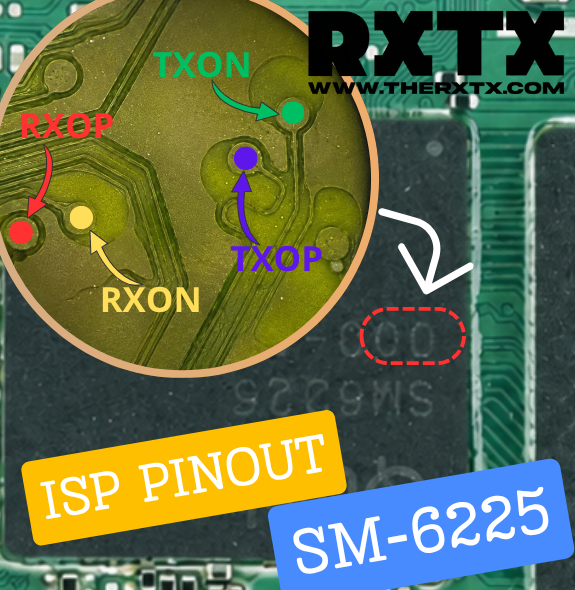
Snapdragon SM6225 motherboard ISP location
How to Use Snapdragon SM-6225 ISP Pinout
Step 1 – Disconnect Battery
Lepaskan koneksi baterai sebelum melakukan penyolderan pada test point ISP.
Step 2 – Locate ISP Test Points
Gunakan gambar pinout yang tersedia untuk menemukan:
- RXOP
- RXON
- TXOP
- TXON
Pastikan menggunakan microscope agar tidak terjadi kesalahan solder.
Step 3 – Connect ISP Cable
Hubungkan test point ke programmer:
| ISP Point | Programmer |
|---|---|
| TXOP | TX+ |
| TXON | TX- |
| RXOP | RX+ |
| RXON | RX- |
| GND | Ground |
Step 4 – Detect UFS Storage
Open your ISP software and perform:
- Identify Device
- Read Hardware Information
- Backup Firmware
- Read GPT
- Read User Area
If all connections are correct, the UFS storage should be detected automatically.
Snapdragon SM-6225 Chipset Overview
The Qualcomm Snapdragon SM-6225 platform is used in various Android smartphones worldwide. This chipset offers a balance of performance and power efficiency, making it popular among mid-range devices.
For repair technicians, understanding ISP access points is important because many modern smartphones no longer provide easy access through traditional flashing modes.
Important Notes
⚠ Always use a microscope when soldering ISP wires.
⚠ Avoid short circuits between neighboring test points.
⚠ Never inject voltage directly without proper measurement.
⚠ Always create a backup before writing firmware.
⚠ Incorrect ISP connections may damage UFS storage or motherboard components.
Frequently Asked Questions (FAQ)
Can ISP repair a dead boot phone?
Yes. ISP is commonly used to recover devices that cannot enter Fastboot, Recovery Mode, EDL, or Download Mode.
Is chip removal required?
No. ISP allows direct communication with storage while the memory chip remains soldered on the motherboard.
Which programmers support SM-6225 ISP?
Most professional programmers such as Easy JTAG Plus, UFI Box, and Medusa Pro support ISP operations.
Can ISP recover lost data?
In many cases, yes. If the UFS storage is still healthy, ISP can be used to access and backup user data.
Conclusion
Snapdragon SM-6225 ISP Pinout (RXOP, RXON, TXOP, TXON) is an essential reference for mobile phone technicians, motherboard repair specialists, and data recovery professionals. By using ISP access, technicians can perform direct communication with UFS storage for firmware backup, repair, and recovery operations without removing the memory chip.
Whether you’re dealing with a bootloop device, dead boot smartphone, firmware corruption, or data recovery project, this ISP Pinout can help simplify the repair process.
Note: ISP Pinout Snapdragon SM-6225 pada artikel ini memerlukan proses CPU Drill / PCB Scraping untuk mengakses jalur UFS. Teknik ini hanya disarankan untuk teknisi berpengalaman karena memiliki risiko merusak jalur motherboard jika dilakukan dengan tidak tepat.
Untuk koleksi lengkap CPU Drill ISP Pinout berbagai chipset Qualcomm, MediaTek, dan UNISOC, silakan kunjungi halaman berikut:
RXTX Drill CPU ISP Pinout Collection
Di halaman tersebut Anda dapat menemukan berbagai referensi ISP Point, CPU Drill Method, PCB Trace Location, dan solusi hardware repair lainnya yang terus diperbarui oleh tim RXTX.
Semua file, firmware, dan panduan di situs ini disediakan untuk tujuan edukasi dan teknisi. Segala risiko seperti kerusakan perangkat atau kehilangan data sepenuhnya menjadi tanggung jawab pengguna.