

SP Flash Tool For Windows is a powerful flashing utility used to flash MediaTek (MTK) Android devices via scatter firmware. This tool is widely used by technicians and developers for firmware installation, recovery, and unbricking devices.
On this page, you can download SP Flash Tool All Versions (v5 & v6) for Windows in one place.
📌 SP Flash Tool For Windows Information
| Detail | Information |
|---|---|
| Name | SP Flash Tool |
| Type | MTK Firmware Flash Tool |
| Platform | Windows (32-bit & 64-bit) |
| Support | MediaTek Android Devices |
| Versions | v5 Series & v6 Series |
⚡ Download SP Flash Tool For Windows
Choose version below sesuai kebutuhan kamu:
🔽 SP Flash Tool v5 Series (Stable & Most Used)
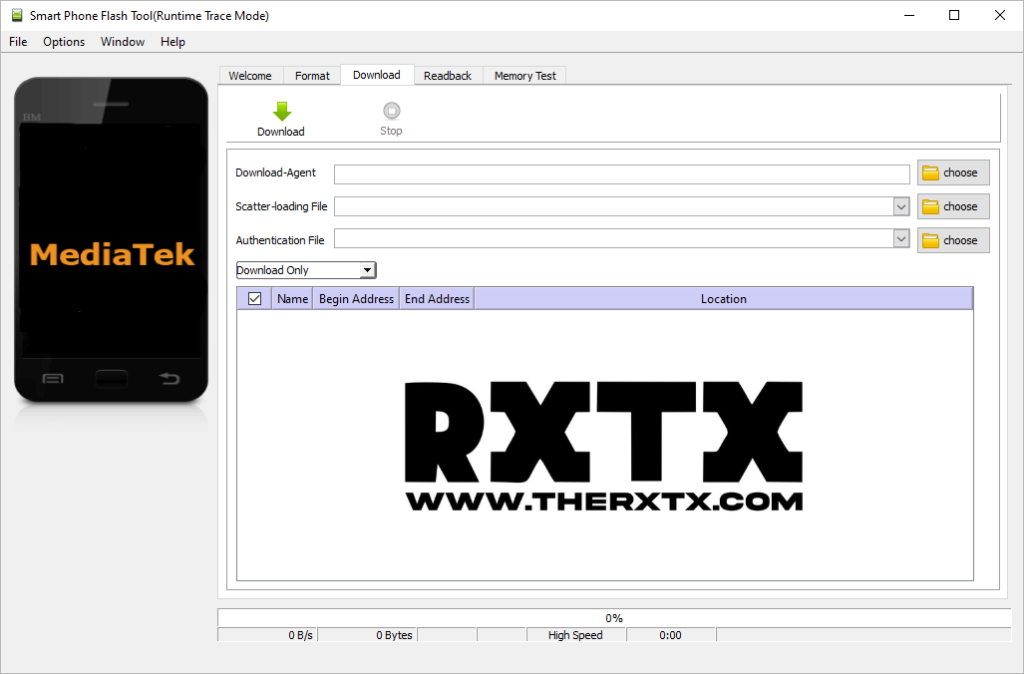
SP Flash Tool v5 is the most stable version and widely used for MTK devices flashing.
✔ Available Versions v5:
👉 Recommended: v5.2404 (stable for most devices)
🔽 SP Flash Tool v6 Series (New Generation)
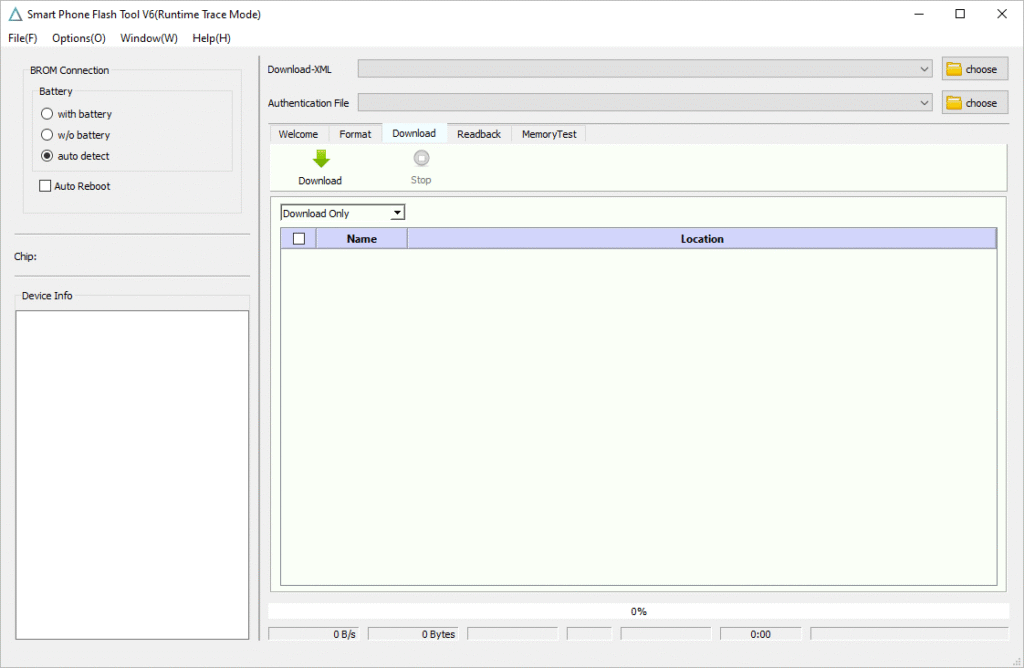
SP Flash Tool v6 is the newer version with updated UI and improved support for newer MTK chipsets.
✔ Available Versions v6:
- SP Flash Tool v6.2404 – Latest
- SP Flash Tool v6.2316
- SP Flash Tool v6.2228
- SP Flash Tool v6.2216
- SP Flash Tool v6.2208
👉 Recommended: v6.2404 or above for latest MTK devices
🛠 How to Use SP Flash Tool For Windows
- Download SP Flash Tool sesuai versi yang dibutuhkan
- Extract file on your computer
- Run flash_tool.exe (v5) or flash_tool.exe (v6)
- Load scatter file from firmware
- Select download mode (Download Only / Firmware Upgrade)
- Click Download button
- Connect device in powered-off state
- Wait until flashing process completes
⚡ Important Notes
- ✔ Use correct scatter file for your device
- ✔ Install MediaTek USB Driver first
- ✔ Do not interrupt flashing process
- ✔ Use correct version (v5 or v6) sesuai chipset
📌 Conclusion
SP Flash Tool is an essential tool for MediaTek device flashing. This page provides all v5 and v6 versions in one hub, so you don’t need to search multiple articles anymore.
🚀 Internal Navigation
👉 MediaTek USB Driver (Required before flashing)